Why It Matters
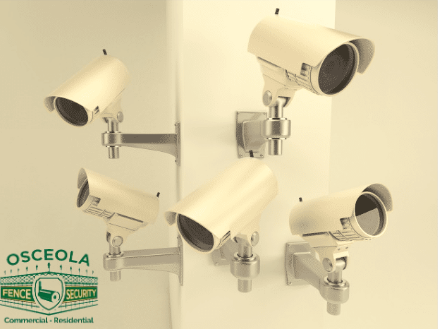
Protecting your household starts with visibility. The right security camera setup helps you deter issues, verify events, and respond quickly—without adding daily hassle.
Types of Home Security Cameras
-
IP Cameras
Connect through your router and stream in 1080p or higher. Digital zoom helps with detail recognition; wide-angle lenses (up to ~180°) improve coverage in tight spaces. -
Hidden Cameras
Discreet options integrated into everyday objects for unobtrusive monitoring. Use responsibly and in line with local laws. -
4K Ultra HD Cameras
Four times the pixel count of 1080p, allowing broader coverage and longer effective zoom. Infrared (IR) improves night clarity. -
CCTV / Traditional Systems
Reliable, wired systems that feed a recorder; many now support remote viewing on phone, tablet, and desktop. -
Video Alarm Cameras
Pair sensors with cameras to trigger recording and send push notifications; two-way audio lets you hear and speak when needed. -
Wi-Fi Cameras
Quick to deploy and flexible. Performance depends on your network’s stability and bandwidth; look for dual-band support and solid encryption.
How to Choose (Quick Checklist)
-
Area & Coverage: Entry doors, driveway, main hallway, and common areas first. Map fields of view to avoid blind spots.
-
Resolution & Lens: 1080p is baseline; 4K for wide areas or identification needs. Use wide lenses indoors; narrower FoV outdoors for distance.
-
Indoor vs. Outdoor: Check weather rating (IP65+), operating temps, and vandal resistance where exposed.
-
Lighting & Night Vision: IR range and sensor quality matter. Consider supplemental lighting for color-at-night performance.
-
Power:
-
PoE (Power over Ethernet) for stable power/data on one cable.
-
AC/plug-in for simplicity near outlets.
-
Battery for spots without wiring (ensure easy recharging).
-
-
Network: Prefer wired backhaul (Ethernet/PoE) when possible. For Wi-Fi, ensure strong signal, WPA2/WPA3, and segregated IoT network if feasible.
-
Storage:
-
Local NVR/DVR or microSD for on-prem control.
-
Cloud for off-site redundancy and easy sharing.
-
Hybrid models combine both.
-
-
Privacy & Security: End-to-end encryption, unique credentials, MFA, regular firmware updates, and role-based access for family members.
-
Smart Features: Human/vehicle detection, activity zones, package alerts, and reliable push notifications to cut false alarms.
-
Integration: Consider compatibility with doorbells, locks, sirens, and lighting for coordinated responses.
Setup & Deployment Tips
-
Place cameras ~8–10 ft above ground to balance detail and tamper resistance.
-
Angle across entry paths rather than straight on for better facial detail.
-
Avoid pointing directly at bright windows; use WDR/HDR settings to manage backlight.
-
Label channels, back up configs, and schedule health checks (storage %, network uptime, alert tests).
Ongoing Care
-
Quarterly lens cleaning and aim verification.
-
Review retention policy (days of footage).
-
Update firmware and app versions to maintain security and features.
Conclusion
A thoughtful home camera setup combines the right mix of resolution, placement, storage, and alerts—so you get dependable coverage with minimal maintenance.
Ready to explore specifics? Head to our website for the complete overview.


