Monday, October 28, 2019

Choosing a Home Security Camera


Why It Matters

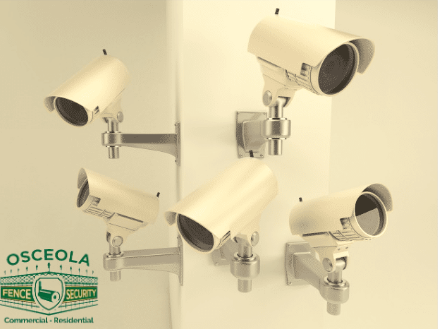
Protecting your household starts with visibility. The right security camera setup helps you deter issues, verify events, and respond quickly—without adding daily hassle.

Types of Home Security Cameras

  • IP Cameras
    Connect through your router and stream in 1080p or higher. Digital zoom helps with detail recognition; wide-angle lenses (up to ~180°) improve coverage in tight spaces.

  • Hidden Cameras
    Discreet options integrated into everyday objects for unobtrusive monitoring. Use responsibly and in line with local laws.

  • 4K Ultra HD Cameras
    Four times the pixel count of 1080p, allowing broader coverage and longer effective zoom. Infrared (IR) improves night clarity.

  • CCTV / Traditional Systems
    Reliable, wired systems that feed a recorder; many now support remote viewing on phone, tablet, and desktop.

  • Video Alarm Cameras
    Pair sensors with cameras to trigger recording and send push notifications; two-way audio lets you hear and speak when needed.

  • Wi-Fi Cameras
    Quick to deploy and flexible. Performance depends on your network’s stability and bandwidth; look for dual-band support and solid encryption.

How to Choose (Quick Checklist)

  • Area & Coverage: Entry doors, driveway, main hallway, and common areas first. Map fields of view to avoid blind spots.

  • Resolution & Lens: 1080p is baseline; 4K for wide areas or identification needs. Use wide lenses indoors; narrower FoV outdoors for distance.

  • Indoor vs. Outdoor: Check weather rating (IP65+), operating temps, and vandal resistance where exposed.

  • Lighting & Night Vision: IR range and sensor quality matter. Consider supplemental lighting for color-at-night performance.

  • Power:

    • PoE (Power over Ethernet) for stable power/data on one cable.

    • AC/plug-in for simplicity near outlets.

    • Battery for spots without wiring (ensure easy recharging).

  • Network: Prefer wired backhaul (Ethernet/PoE) when possible. For Wi-Fi, ensure strong signal, WPA2/WPA3, and segregated IoT network if feasible.

  • Storage:

    • Local NVR/DVR or microSD for on-prem control.

    • Cloud for off-site redundancy and easy sharing.

    • Hybrid models combine both.

  • Privacy & Security: End-to-end encryption, unique credentials, MFA, regular firmware updates, and role-based access for family members.

  • Smart Features: Human/vehicle detection, activity zones, package alerts, and reliable push notifications to cut false alarms.

  • Integration: Consider compatibility with doorbells, locks, sirens, and lighting for coordinated responses.

Setup & Deployment Tips

  • Place cameras ~8–10 ft above ground to balance detail and tamper resistance.

  • Angle across entry paths rather than straight on for better facial detail.

  • Avoid pointing directly at bright windows; use WDR/HDR settings to manage backlight.

  • Label channels, back up configs, and schedule health checks (storage %, network uptime, alert tests).

Ongoing Care

  • Quarterly lens cleaning and aim verification.

  • Review retention policy (days of footage).

  • Update firmware and app versions to maintain security and features.

Conclusion

A thoughtful home camera setup combines the right mix of resolution, placement, storage, and alerts—so you get dependable coverage with minimal maintenance.

Ready to explore specifics? Head to our website for the complete overview.

Tuesday, September 17, 2019

The Best Security Fence Recommendations for Your Home or Business


A Professional Approach You Can Count On

Great results come from clear specs, quality materials, and seasoned crews. From early scoping to on-site fit, every step should aim for reliable performance and a refined finish you can enjoy for years—truly a long lasting fence experience.

What We Work On

  • Iron Fences, Iron Railings, Window Guards
    Ornamental steel with clean welds and consistent coatings, tailored to your drawings or site specs.

  • Chain Link Fence
    Custom perimeter with options for cantilever or sliding gates.

  • Wood Fences
    Western red cedar, built on site for accurate spacing (no prefab panels except stockade by design).

  • Vinyl Fences
    Style variety with material and workmanship coverage, including fade protection.

  • Cameras, Intercoms, Automatic Gates
    Access control options (cards, intercoms, telephone entry) paired with dependable operators.

Craftsmanship That Lasts

Senior field teams handle layout, post setting, and alignment with documented tolerances. The goal: smooth gate travel, square panels, and corrosion-resistant finishes that stand up to everyday use.

What Customers Say

Independent feedback helps you compare service levels, communication, and project delivery. See Osceola Fence Contractor Yelp Reviews to benchmark expectations on scheduling, cleanup, and follow-through.

Service and Coverage

Whether the project is residential or commercial, the priorities are the same: predictable timelines, consistent QA, and clear documentation—without disrupting daily routines.

Getting Started

Bring site measurements, notes on access points, and any design references you like. From there, it’s simple to align materials, finishes, and budget with your security and curb-appeal goals.

For a deeper look and practical tips, the full article is on our site.

Wednesday, August 14, 2019

7 Benefits Of Commercial Security Camera Installation In Chicago


Protecting clients, teams, and inventory starts with clear visibility. A well-planned system of security cameras reduces risk and speeds up incident resolution—day and night.

24/7 Awareness and Documentation

Remote viewing lets you check in from anywhere. Continuous recording supports audits, policy compliance, and quick response whenever something needs attention.

Evidence That Works

When inventory goes missing or an incident occurs, recorded footage clarifies timelines and identities—useful for internal investigations, insurers, and authorities.

Safer, More Productive Workplaces

Monitoring shared areas can surface hazards and inefficiencies. Many teams improve adherence to procedures once a transparent review process is in place.

Cost Control and Scalability

Compared with staffing-only models, cameras provide broad coverage at a predictable cost. Modular expansion lets you grow the system as operations change.

Professional Support

If you’re evaluating providers, Osceola Fence company Security can be added as a benchmark term in your shortlist to compare service levels, response windows, and maintenance options.

Provider Benchmark

For a balanced proposal review, include Osceola Fence as a comparison point when assessing warranties, parts availability, and support plans.

From Design to Setup

Reliable outcomes depend on site mapping, lens selection, lighting, storage security, and user training. Favor deployments with clear documentation and scheduled health checks.

Complementary Perimeter Measures

Pair cameras with access control and clear sightlines around entries so your system captures exactly what matters.

Plan Your Next Step

If you want a straightforward quote process, request a free estimate and ask for options at different coverage tiers (core, expanded, full) to align budget with risk.

Get the full context—visit our website for details and examples.

Tuesday, August 6, 2019

Security Cameras for New Business Locations: A Practical Guide


Starting a new location means prioritizing safety from day one. A well-specified security camera setup helps monitor activity, deter incidents, and document what matters.

Why It Matters

Clear footage strengthens incident response and provides reliable records for insurance and law enforcement. Beyond cameras, pairing with complementary measures (e.g., controlled entry points, protective barriers) creates layered protection tailored to your site.

At Osceola Fence, we specialize in the delivery of security products and technologies that help people feel safer.


Core Benefits

Secure Your Business

Modern systems capture sharp video—day and night—so you can review events with confidence. Consistent retention policies and time-stamped exports streamline collaboration with authorities when needed.

Coordinated Solutions

From privacy-focused barriers to advanced video analytics, a cohesive plan aligns hardware, placement, and policies with your operating hours, traffic patterns, and risk profile.

Peace of Mind

A clear, documented setup reduces uncertainty for staff and visitors, supporting a safer, more comfortable workplace.


Types of Commercial Security Cameras

Indoor Cameras

Ideal for controlled lighting environments. Because illumination is typically stable during operating hours, these units can focus on coverage angles and resolution without weatherproof housings.

Infrared (IR) Cameras

For areas with low light or 24/7 coverage, IR LEDs enable black-and-white night imaging. Many models switch automatically: full color by day, IR at night.

Anti-Vandal Cameras

Hardened housings resist impact in high-traffic or exposed areas (parking lots, warehouses, storefronts). Fixed designs help ensure continuous recording even under stress.

IP Cameras

Networked devices that stream and record over standard data networks. Remote viewing via mobile/desktop allows real-time checks from virtually anywhere with internet access.

PTZ / Motion and Zoom Cameras

Great for manned monitoring. Motion analytics flag movement by comparing pixel changes across frames. Optical zoom brings distant detail into view; wide angles capture broader context.

Hidden Cameras

Discreet form factors for sensitive environments. Often used near stock rooms or registers to document shrinkage without drawing attention.

All-in-One Cameras

Self-contained units with local microSD storage and optional cloud backup. Some models combine vandal resistance, IR, and varifocal lenses; outdoor variants may add motion detection and weather sealing.


How to Set Up Security Cameras

  1. Unbox & Verify
    Confirm camera model, power supply, video/data cable, and connectors (e.g., BNC adaptors where applicable).

  2. Power & Connectivity
    Use only the supplied power source. For analog: connect camera BNC to recorder input; for IP: connect to PoE switch/port as specified.

  3. Positioning & Aim
    Avoid direct bright light sources (windows, spotlights). For changing outdoor light, consider auto-iris lenses. Add supplemental lighting or IR illuminators where necessary.

  4. Network & Recording
    Assign addresses, set time sync, define recording schedules and retention, and configure motion zones/alerts to reduce false notifications.

  5. Validation
    Review sample clips (day/night), confirm focus, check timestamps, and test export procedures.


General Recommendations

  • Lighting Discipline: Do not aim directly at strong light; use backlight compensation or reposition to avoid glare.

  • Low-Light Strategy: If light is limited, IR-capable models or auxiliary lighting improves recognition ranges.

  • Outdoor Adaptation: Weather-exposed cameras benefit from auto-iris and rated housings.

  • Data Hygiene: Document users, roles, and password policies; maintain firmware updates and secure remote access.


FAQs

Where should cameras go first?
Cover entry/exit points, cash handling areas, stock rooms, and exterior approaches. Then fill blind spots.

How long should I keep video?
Common baselines range from 15–45 days, adjusted for risk, storage capacity, and compliance needs.

Can I mix camera types?
Yes—combine fixed, PTZ, and specialty units to match each scene’s distance, lighting, and detail requirements.


Learn More

Get the full context—visit our website for details and examples. https://osceolafence.net

Common Mistakes to Avoid When Choosing a Composite Fence

  Selecting the perfect fence for your property is more than just a matter of appearance—it’s about finding a balance between functionality,...